NahamCon CTF 2025 Write-up
NahamCon CTF 2025 write-up
Hello folks, this is my first write-up for my first CTF contest, The NahamCon CTF 2025 by Ben Sadeghipour aka Nahamsec. I have covered warmup and easy challenges that i was able to solve.
So let’s begin
Read The Rules — warmups
Challenge description: Please follow the rules for this CTF!
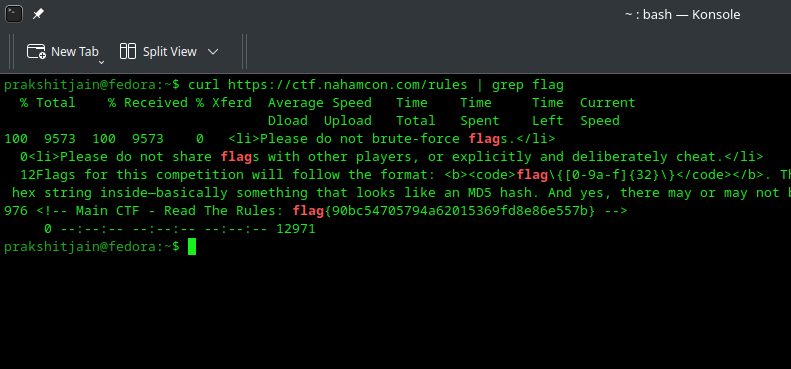
Just curl the rules page from terminal and grep flag
1
curl https://ctf.nahamcon.com/rules | grep flag
Screenshot — warmups
You are provided with a PNG file ‘Screenshot.png’
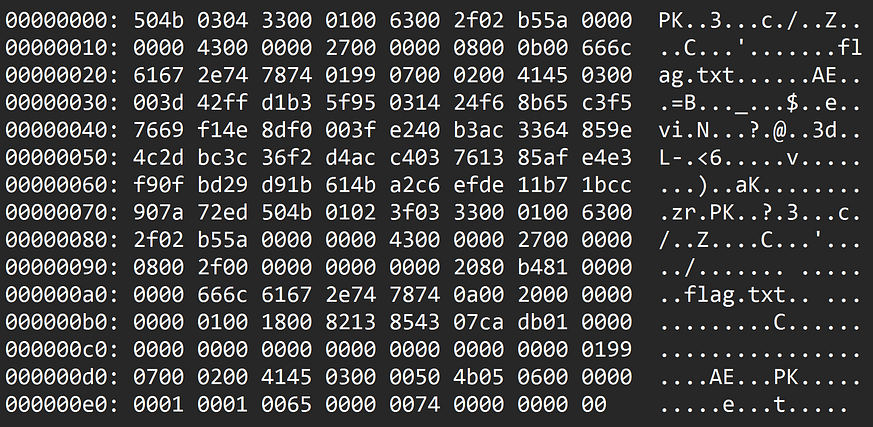
This screenshot contains a hex dump of a zip file (since it starts with ‘PK’) named ‘flag.zip’ that contains a flag.txt
we are also provided with a password called password in the challenge description.
Use below python script to re-create the zip file using the given hex dump!
1
2
3
4
5
6
7
8
9
10
11
12
13
14
15
16
17
18
19
20
21
22
23
24

hex_dump = """
504b 0304 3300 0100 6300 2f02 b55a 0000
0000 4300 0000 2700 0000 0800 0b00 666c
6167 2e74 7874 0199 0700 0200 4145 0300
003d 42ff d1b3 5f95 0314 24f6 8b65 c3f5
7669 f14e 8df0 003f e240 b3ac 3364 859e
4c2d bc3c 36f2 d4ac c403 7613 85af e4e3
f90f bd29 d91b 614b a2c6 efde 11b7 1bcc
907a 72ed 504b 0102 3f03 3300 0100 6300
2f02 b55a 0000 0000 4300 0000 2700 0000
0800 2f00 0000 0000 0000 2080 b481 0000
0000 666c 6167 2e74 7874 0a00 2000 0000
0000 0100 1800 8213 8543 07ca db01 0000
0000 0000 0000 0000 0000 0000 0000 0199
0700 0200 4145 0300 0050 4b05 0600 0000
0001 0001 0065 0000 0074 0000 0000 00
""".replace("\n","").replace(" ","")

binary = bytes.fromhex(hex_dump)
with open("flag.zip","wb") as f:
   f.write(binary)
print("flag.zip created successfully!")
# to execute the script, simply type 'python filename.py' in the terminal
On successfull execution, the flag.zip will be created, unzip it and extract the flag.txt using the provided password to get the flag.
flag{907e5bb257cd5fc818e88a13622f3d46}
Free Flags! — warmups
You are provided with a file ‘free_flags.txt’ that contains 3000 flags.
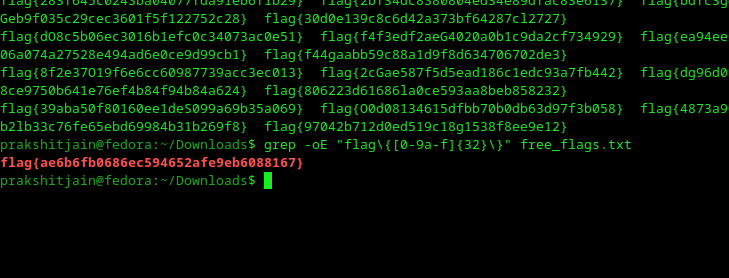
There are a lot of flags in there, but what you need to do is just get the regex from rules page filter all the invalid flags!
1
grep -oE "flag\{[0-9a-f]{32}\}" free_flags.txt
This command will highlight and display the only valid flag
Naham-Commencement 2025 — warmups
You will be provided a login page and when you try SQL injection or any login attempt, you will be returned with ‘Access Denied! Client-Side Validation failed’
Just Inspect the code and access the java-script file
To access the JS file: just press Ctrl + click on the script file in the inspector OR move to Debugger => Sources => Main Thread => Static/JS => main.js
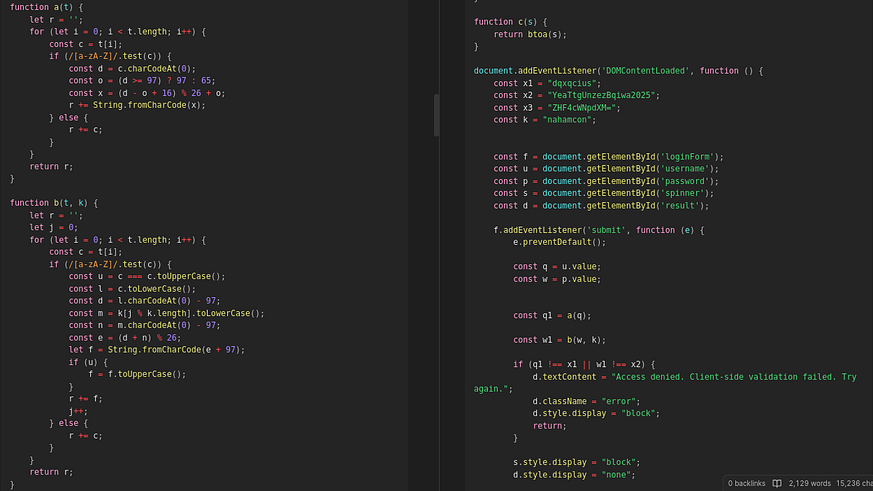
If you look carefully, the user inputs are validated against pre-computed ciphertexts. And the functions perform Caeser Cipher and Vigenere Cipher for username and password respectively.
Ciphertext username : dqxqcius
Perform Reverse Caeser Cipher with a shift of 16
Ciphertext password : YeaTtgUnzezBqiwa2025
Perform Reverse Vigenere Cipher with Key : nahamcon
Now use any external website to decrypt these ciphertexts to obtain credentials in plaintext.
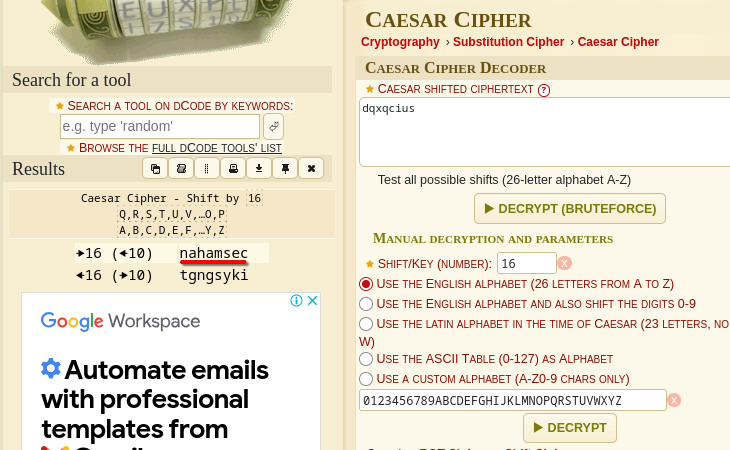
username: nahamsec
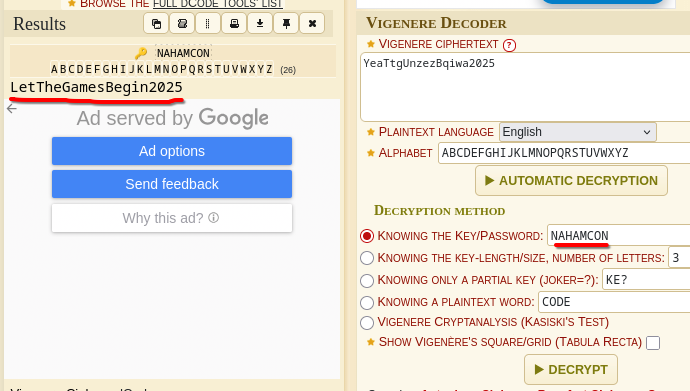
password: LetTheGamesBegin2025
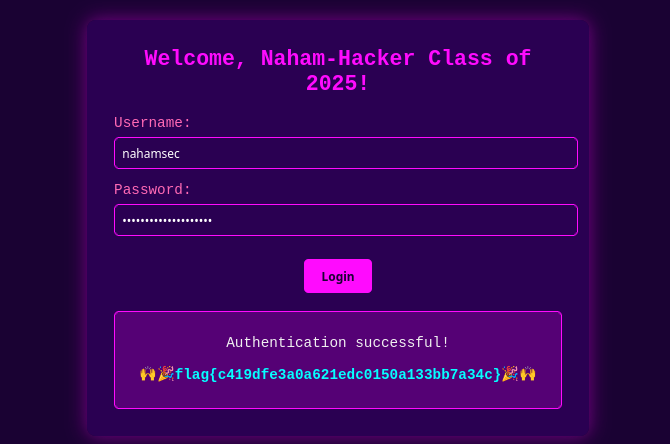
When you enter the obtained credentials, the flag will be displayed.
The Oddyssey — warmups
You will be asked to connect to a netcat server which will display tiny chunks of the Poem Oddyssey and will prompt you to press <enter> key for next chunk.
I struggled with this challenge a bit, as it kept going infinitely. But then I figured that, on typing the ‘n’ number of characters and hitting enter, it skips the press <enter> part ’n’ times and displays ‘n’ number of chunks in one go.
So I copy pasted a few chunks and hit enter, resulting in display of a huge number of chunks. Then I used ‘find’ to search for the flag.
Better Approach
Execute the following command
1
while true; do echo ""; sleep 0.1; done | nc challenge.nahamcon.com 30132 | grep flag
This will send an empty string every 0.1 seconds indefinitely simulating the <enter> key.
The ‘grep flag’ will highlight and display the flag. 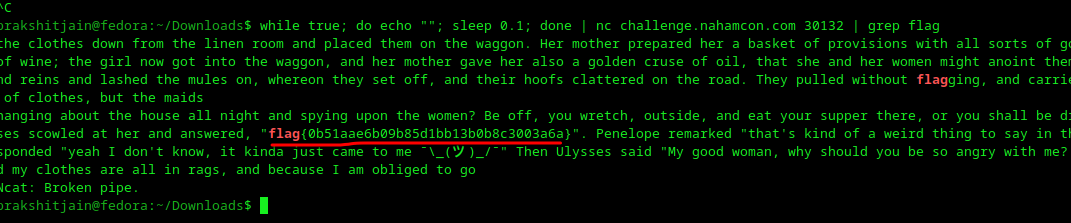
Quartet — warmups
In this Challenge, you will be provided with four files.
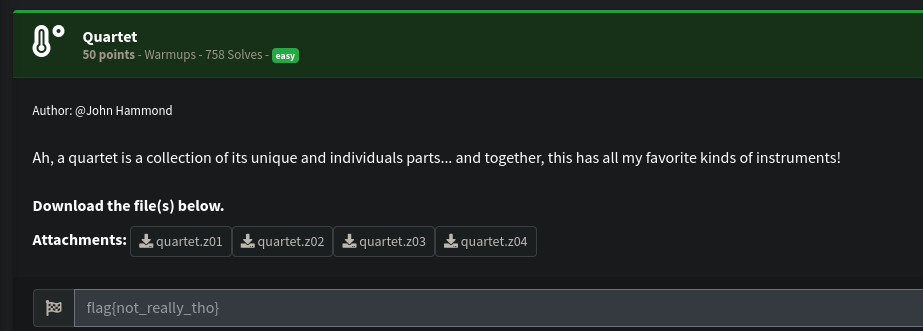
Challenge Description
If you view the contents of first file in a text editor, you will probably see that it starts with something like ‘PK’ , it likely means that it is the starting part of an incomplete zip file.
And the hint given with the challenge confirms it! i.e “a collection of individual parts together”.
To construct the complete zip file, unzip it and display the flag, use below commands.
1
2
3
cat quartet.z01 quartet.z02 quartet.z03 quartet.z04 > quartet.zip
unzip quartet.zip
strings quartet.jpeg | grep flag
The flag will be displayed

SNAD — web
This is a particle simulation challenge, where we’re supposed to “drop grains of sand” with specific colors at specific positions.
Just Inspect the code and access the java-script file.
To access the JS file: just press Ctrl + click on the script file in the inspector OR move to Debugger => Sources => Main Thread => JS => script.js

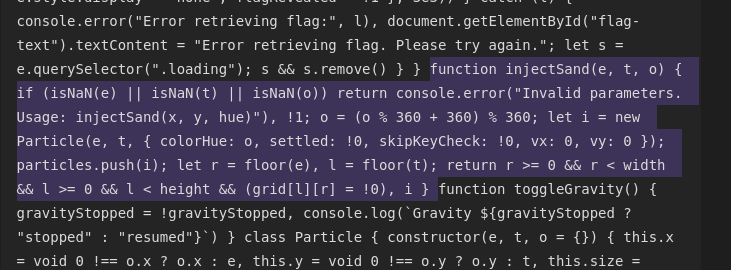
In the code, you will see that the target positions are given, a function called ‘injectSand()’ is defined.
Not gonna lie, but I did use AI to solve this :)
To solve this challenge we need to place the sand exactly at the target positions.
Navigate to Console in DevTools and type:
1
injectSand(367, 238, 0); injectSand(412, 293, 40); injectSand(291, 314, 60); injectSand(392, 362, 120); injectSand(454, 319, 240); injectSand(349, 252, 280); injectSand(433, 301, 320);
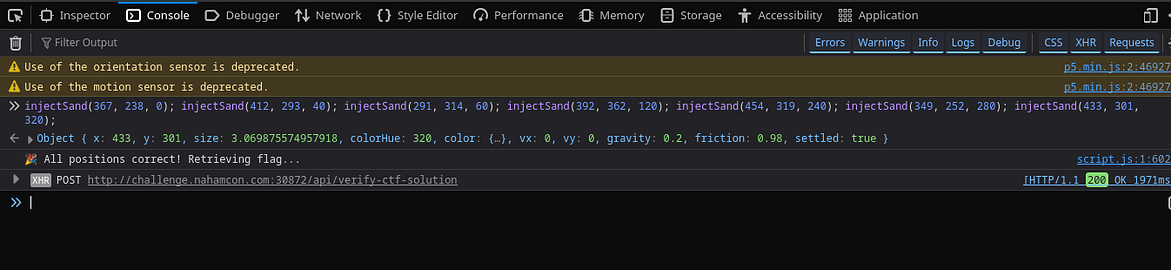
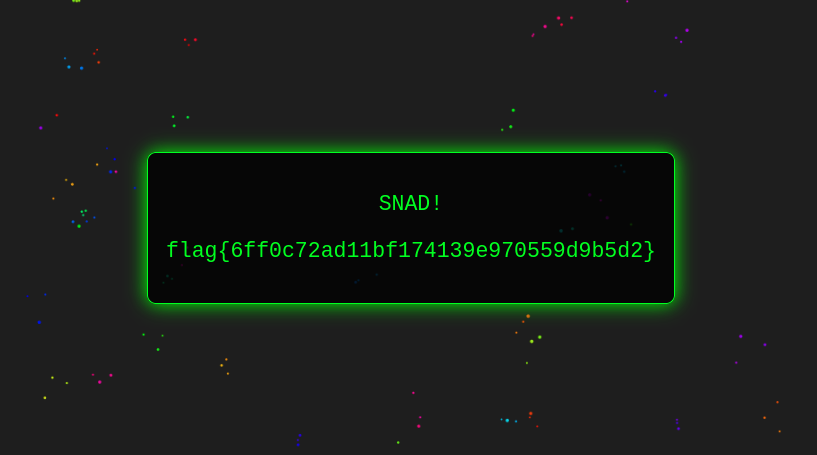
Now, return back to the web page, the flag will be displayed
Cryptoclock — Cryptography
You’ll connect to a remote server using netcat (nc), where a Python script (server.py) is running and controls the server’s behavior.
You’ll be given ‘server.py’ to understand how the server works so you can interact with it correctly.
When you connect with the server, it provides the encrypted flag.
What you also get: the ability to send a text and get its ciphertext.
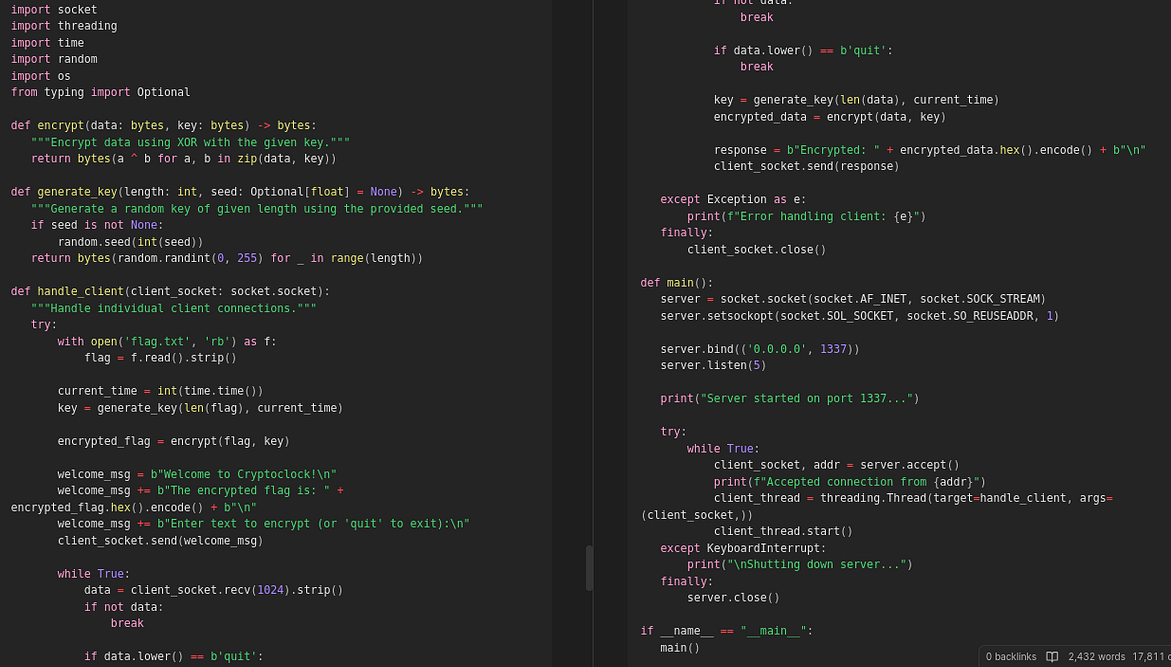
On analyzing the server.py file, we come to know that the server is using XOR encryption with time based key. i.e it uses the timestamp to generate the key every session and uses same timestamp as key for that session alone.
We know that the flag is of the pattern ‘flag{[0-9a-f]{32}}’ — md5 Hash, So connect to the remote server and get the encrypted flag as well as the ciphertext of a sample flag ‘flag{afd467a9fcb4e80ea3dr4dr5454fdaa0}’
Now the close the remote session and based on the steps followed to encrypt the flag, write a script to generate the key and decrypt the flag.
Logic:
XOR your plaintext with your ciphertext result → that gives you the key
XOR that key with the encrypted flag → you get the original flag in plaintext
Python Script
1
2
3
4
5
6
7
8
9
10
11
12
13
14
15
16
17
18
19
20
21

def XOR_operation(b1, b2):
    return bytes([x ^ y for x,y in zip(b1,b2)])

# Replace the below value with the ciphertext of the original flag
encrypted_flag_hex="6215c6614703787f8717186e1bc2b1567e6d6a0bfe0fec6245ad06f1575d283623a55ec7724c"

# Replace the below value with the ciphertext of the flag you sent to server
encrypted_plaintext_hex = "6215c66147057b2d85164e6d4296b05f25683e0aaf0dbd3915a454f4505d29657ef45c91744c"

# Replace this with the flag you sent to server
plaintext_in_bytes_form = b"flag{6ff0c72ad11bf174139e970559d9b5d2}"

encrypted_flag = bytes.fromhex(encrypted_flag_hex)
encrypted_plaintext = bytes.fromhex(encrypted_plaintext_hex)

key = XOR_operation(plaintext_in_bytes_form, encrypted_plaintext)

flag = XOR_operation(key, encrypted_flag)

print(flag.decode())
Executing this script will provide the flag. (make sure to change the values as per your scenario. But you will still get the flag with these exact values.)
Flagdle — miscellaneous

You can manually guess each character until all greens are received as response.
Start with all a’s and go all the way to ‘f’ followed by integers (0–9).
Replace only the ones that are either yellow or black. keep the green ones untouched.
Use the below command to send the POST request via curl
1
2
3
4
curl -X POST http://challenge.nahamcon.com:30544/guess \
-H 'Content-Type: application/json' \
-d '{"guess":"flag{aaaaaaaaaaaaaaaaaaaaaaaaaaaaaaaa}"}'
# make sure to change the PORT
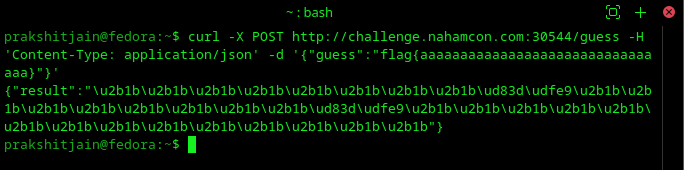
Encoding:
ud83d\udfe9 — Green
ud83d\udfe8 — Yellow
u2b1b — Black
Tip: Have a actual Flag and a rolling Flag, make changes to rolling flag when sending requests and make changes to actual flag only when the characters and their positions are confirmed._
You will eventually reach a point where all the responses are ud83d\udfe9 i.e Green
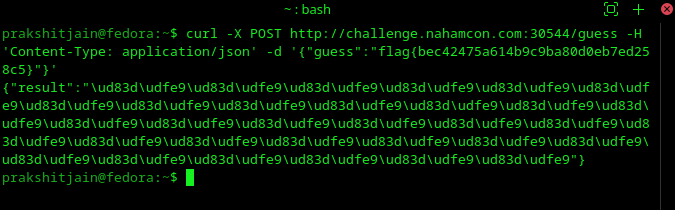
Hence the flag that returns all greens is your answer!
The Martian — miscellaneous
You are provided with a file ‘challenge.martian’
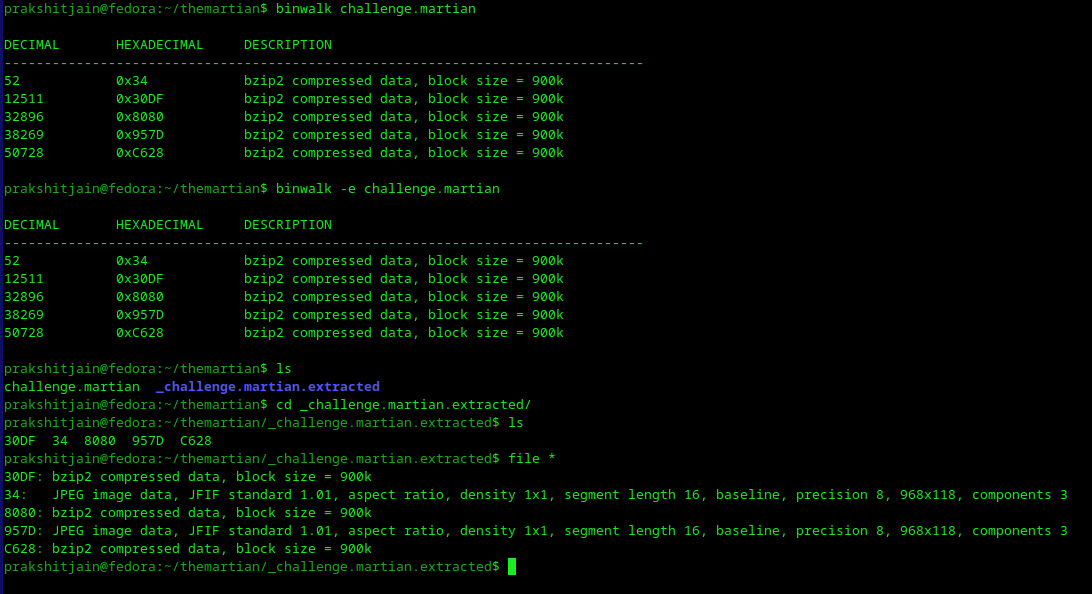
Perform a ‘binwalk’ on the file => extract the files
1
2
3
4
# this will show the possible contents that can be extracted
binwalk challenge.martian
# the extracted files will be stored in _challenge.martian.extracted
binwalk -e challenge.martian
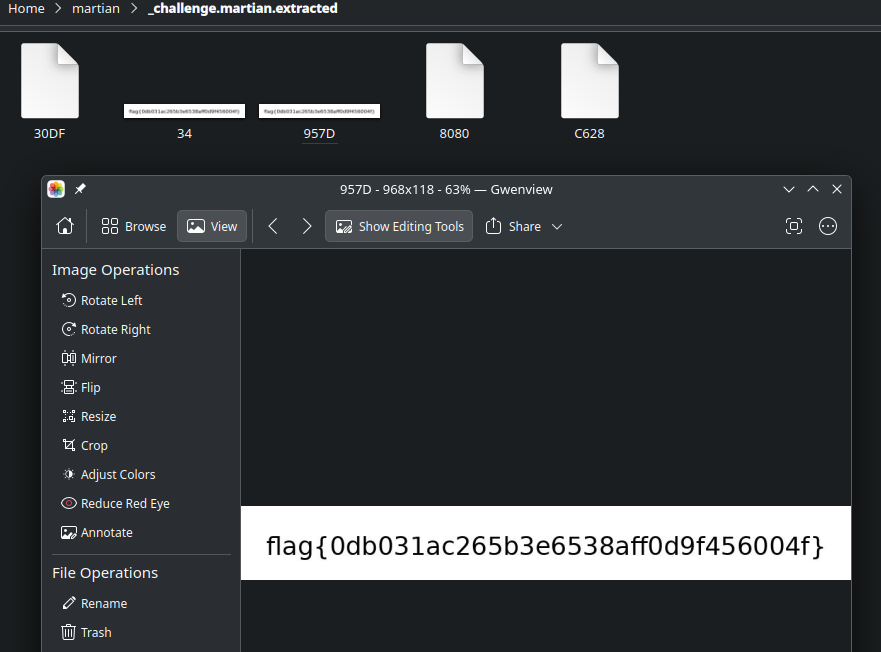
A directory ‘_challenge.martian.extracted’ will be created, navigate to the directory and you will see there are two JPEG files, that contain the flag.
Files ‘34’ and ‘957D’ contain the flag
That’s a wrap! Firstly, congratulations on making this far, I hope you liked it and got to learn something new. Thank you so much, see you in future write-ups.